


 405
405
If your printer seems to be powered up, online, and doesn't show any errors but isn't printing jobs you send to it the culprit is likely what is called the 'print spooler service' which manages print jobs and is very prone to freezing/malfunctioning.
The easiest resolution would be to save your work, navigate to your computer's start menu and going to the power options (lock/sleep/shut down/restart) then selecting 'Restart', specifically.
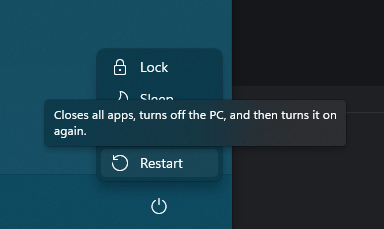
Restart functions differently than just powering down your PC with the Shut down command. The restart function makes what's called the system kernel fully power down where typically the shutdown option keeps some things powered on which prevents some background processes from being fully terminated and restarted upon the next power cycle.
Using the 'Restart' function will force the PC and by proxy the print spooler service to actually restart and typically fixes the issue of print jobs not being sent/processed by the printer.
If this does not resolve the issue please make a ticket as normal for assistance.

