


 456
456
In the event of a scholar's Chromebook experiencing issues such as keyboard malfunctions, intermittent WiFi connectivity or their devices 'freezing', please attempt the following:
With the device powered on press and hold the power button and then quickly press the refresh key while keeping the power button held down.
You may release both keys once the screen goes dark/flashes which signals the device is restarting.
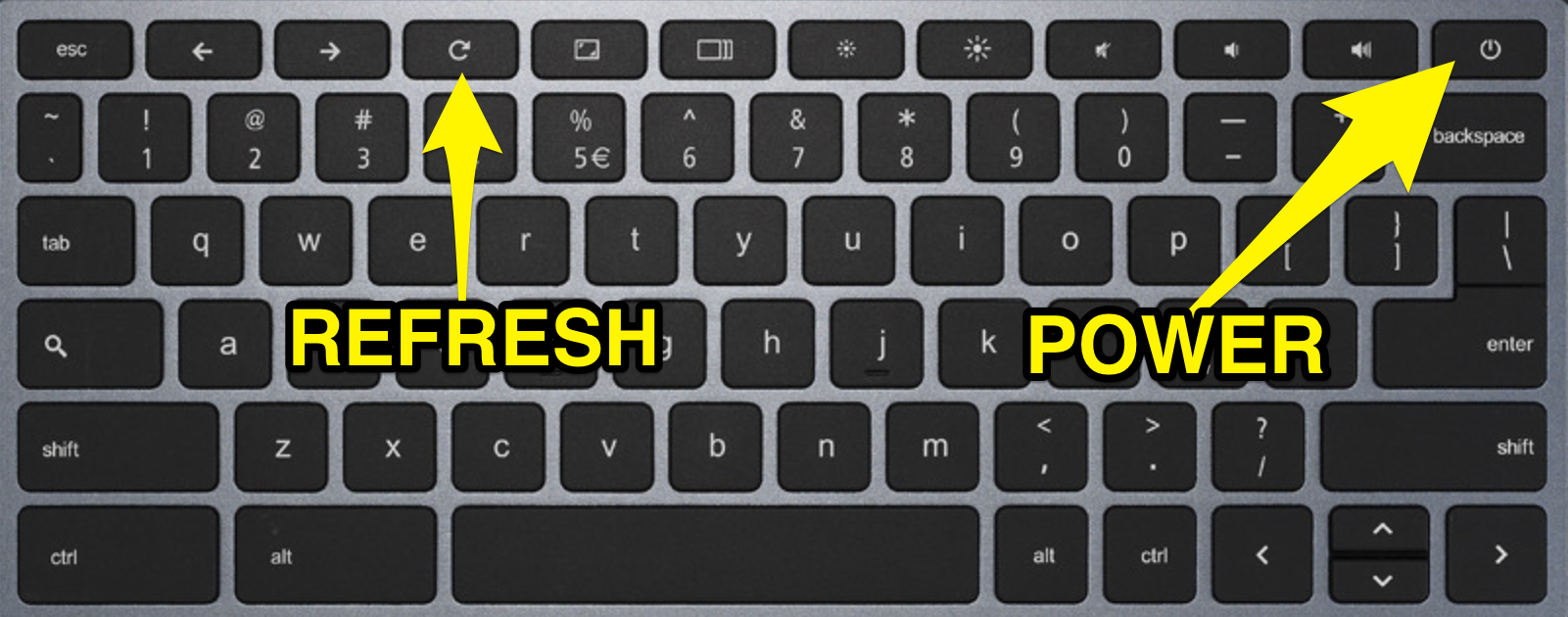
This hard coded keyboard shortcut will 'force reboot' the Chromebook and makes the device fully power down the motherboard and restart a lot of background services that remain 'on' even when the device is technically shut down.
If after the reboot this does not resolve the issue your scholar is experiencing with their device then please submit a ticket with any pertinent information regarding the issue and please provide either the barcode or serial # of the device in the message.

